RESOURCES FOR SMOOTH MEMBER SETUP
This page provides the key onboarding documents and short training videos to support brokers in guiding clients through GOeVisit access and setup.
You’ll find clear step-by-step resources, updated templates, and member-facing instructions to ensure a smooth experience as services are now accessed through the CHR Connect app. Care delivery and providers remain unchanged, and these materials are here to make onboarding simple, consistent, and seamless.
DOCUMENTS
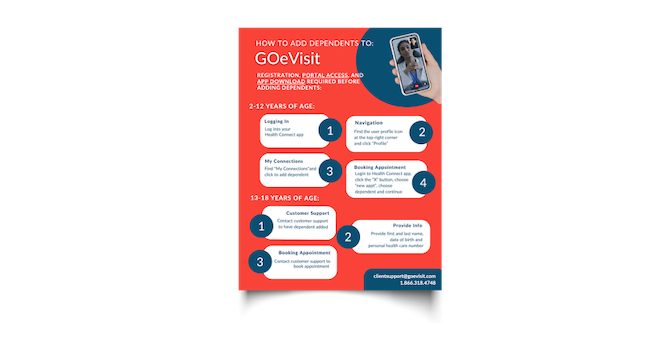
HOW TO ADD DEPENDENTS
This updated onboarding template reflects the current GOeVisit flow. While services are now accessed through the CHR Connect app, onboarding processes and care delivery remain unchanged.
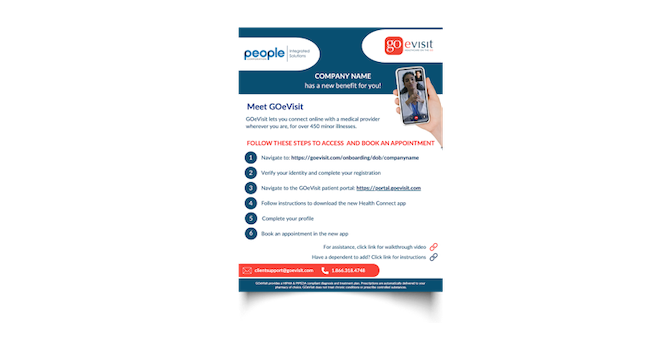
REVISED ONBOARDING TEMPLATE
Updated member onboarding handout with step-by-step instructions to register, verify identity, access the patient portal, download CHR Connect, complete a profile, and book care.
VIDEOS
ONBOARDING INSTRUCTIONS (DATE-OF-BIRTH VERIFICATION)
Instructions on how to navigate from the onboarding link provided by brokers, using date of birth, to verifying and complete a profile. Explains how to navigate to the new health connect platform powering GOeVisit services.
GROUP ONBOARDING USING EMAIL
Instructions on how to navigate from the email link to verify and complete a profile for group registration. Explains how to navigate to the new health connect platform powering GOeVisit services.
GROUP USER ACCOUNT CREATION (DATE-OF-BIRTH ERROR)
This explains what happens when someone attempts to create a new GOeVisit account, but they've already been pre-onboarded as part of a group using DOB and already exist in the system.
GROUP USER ACCOUNT CREATION (EMAIL ERROR)
This explains what happens when someone attempts to create a new GOeVisit account, but they've already been pre-onboarded as part of a group using Email and already exist in the system.
EXISTING MEMBER JOURNEY TO CHR CONNECT APP
This video explains how to log in and access your account in the GOeVisit Patient Portal and transition to the new backend supported CHR Connect Health App.
We’ll continue adding additional broker handouts and walkthrough resources here as they become available.
If any questions come up as you support clients through onboarding, our team is always here to help.